





Beschreibung
Orico U301 128 GB USB-A USB-C USB 3.2 Gen 1 Pendrive - Silver
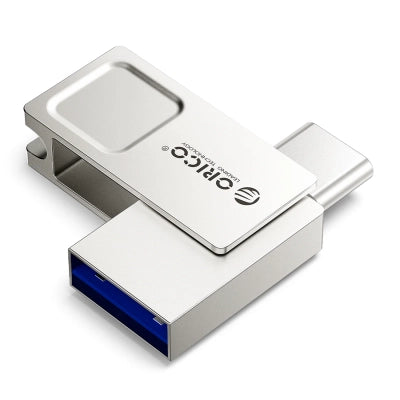
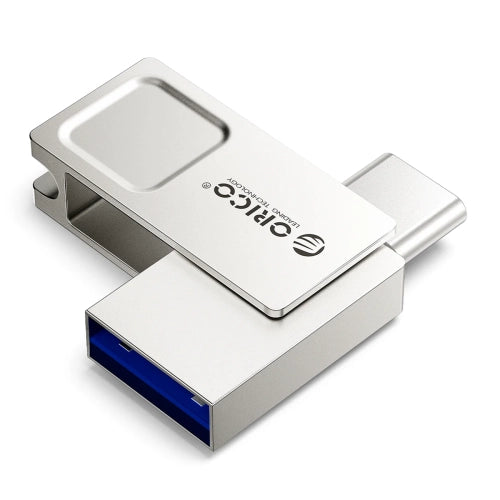
The Orico U301 flash drive makes it easy to store and transfer files between USB-A or USB-C devices. The USB 3.2 Gen 1 standard ensures efficient data transfer, and the 128 GB capacity provides plenty of space for documents, photos, music, and videos. The compact design fits in a pocket or small bag compartment. The zinc alloy casing and rotating cover help protect the connectors during everyday use. This is a practical USB flash drive for work, study, travel, and multimedia use.
Specification:
- Brand: Orico
- Model: Orico U301
- Connectors: USB-A; USB-C
- USB Standard: USB 3.2 Gen 1
- Capacity: 128 GB
- Read speed: 90-130 MB/s
- Write speed: 25-50 MB/s
- Dimensions: 3.3 x 1.2 x 0.7 cm
- Weight: 9 g
- Material: zinc alloy
- Color: silver
The most important advantages of the Orico U301 flash drive:
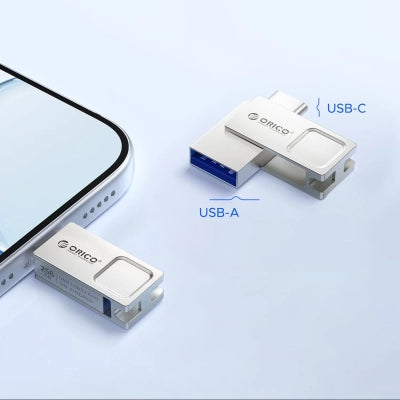
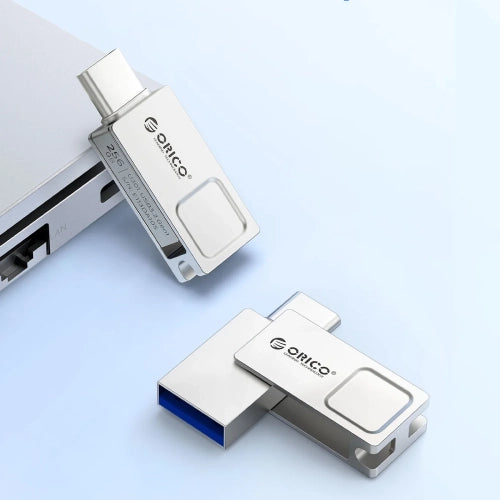
- Two types of connectors: USB-A and USB-C allow you to use the memory with various devices without an additional adapter.
- Efficient file transfer: USB 3.2 Gen 1 offers read speeds up to 130 MB/s and write speeds up to 50 MB/s.
- Wide compatibility: two connectors and the factory exFAT format make it easy to use the flash drive with computers, smartphones, tablets and most devices equipped with USB-A or USB-C.
- Compact format: small dimensions and a weight of 9 g make it easy to store and carry the memory.
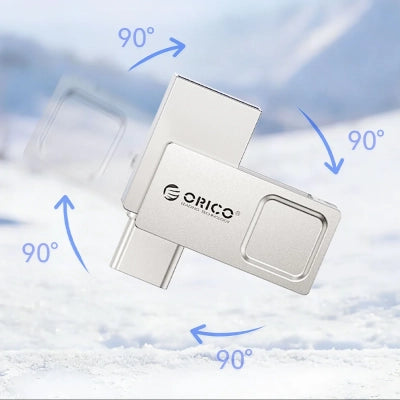
- Metal construction: Zinc alloy and 360° rotating cover help protect connectors during transport.
Two connectors for different devices
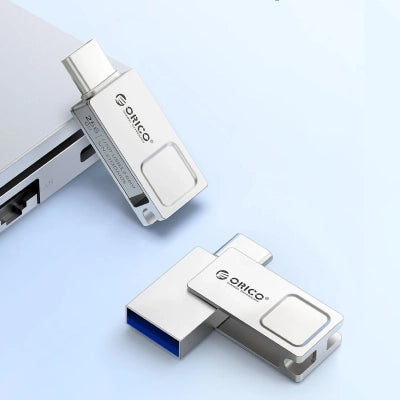
The USB-A and USB-C connection makes it easy to transfer data between computers, phones, tablets, and other compatible devices. The rotating design allows you to quickly select the desired connector, eliminating the need to carry a separate adapter. This solution streamlines data exchange at home, in the office, or while traveling.
Fast transfer in the USB 3.2 Gen 1 standard
Read speeds of 90-130 MB/s and write speeds of 25-50 MB/s make copying documents, photos, and videos a breeze. Shorter file transfer times help streamline daily workflows and data archiving. You can efficiently save new content and play back existing content.
Many devices and systems
The exFAT format ensures compatibility with Windows, macOS, Linux, Android, and HarmonyOS, while USB-A and USB-C ports allow you to connect the drive to computers, smartphones, tablets, TVs, speakers, and other compatible devices. The drive also works with USB 3.0 and USB 2.0 ports.
Compact and lightweight form
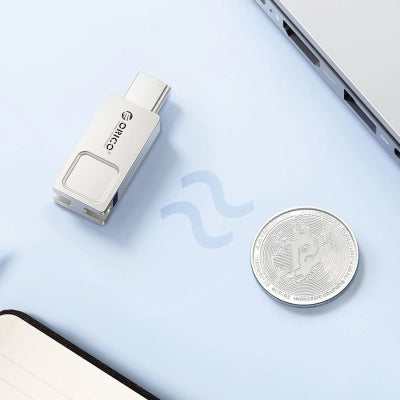
The 3.3 x 1.2 x 0.7 cm casing weighs just 9 g, making it easy to carry in a pocket, case, or bag. Its compact design doesn't take up much space and remains discreet when connected to a device. Its size also reduces the risk of covering nearby ports.
Metal housing with 360° rotating cover
The zinc alloy provides a solid, smooth casing and promotes heat dissipation during operation. The 360° rotating mechanism protects the unused connector, reducing the risk of damage, and allows for quick switching between USB-A and USB-C. This design allows for secure storage of the flash drive without a separate cap.
Worth knowing about flash memory
Actual memory capacity
The capacity displayed when the flash drive is connected may be slightly lower than the manufacturer's stated capacity. This is due to differences in how memory manufacturers and operating systems calculate capacity, as well as the space occupied by system files.
Operating temperature
During intensive data read or write operations, the flash drive may become warm. This is a normal component operating condition, and the zinc alloy metal casing helps dissipate the heat.
Actual transfer speed
Copy speeds may vary depending on the USB port used, operating system, memory format, file type, and device specifications. These speeds represent the range achievable under specific operating conditions.
Copying folders and individual files
Moving a folder containing many small files can take longer than copying one large file. The system must process each item individually, and performing multiple transfers simultaneously can further reduce speed.
Protecting important data
It's also a good idea to store important documents, photos, and other files on a second drive or in a different location. Regularly backing up your files reduces the risk of data loss in the event of damage or loss of the drive.
Das könnte Ihnen auch gefallen
Zuletzt angesehen
Sichere Zahlung auf unserer Website